The Labyrinth
Experiment / IP
Creative Director / Producer · Co-Creator
Overview
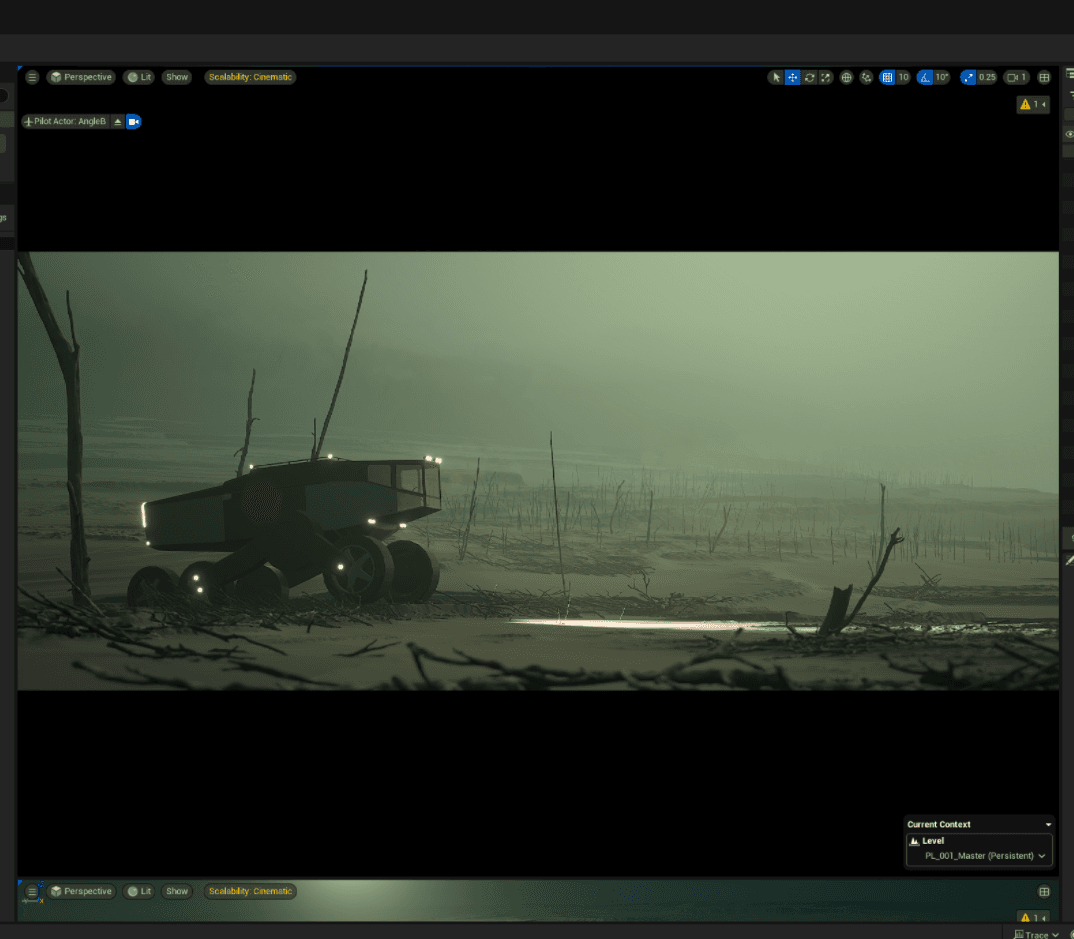
The Labyrinth is a graphic novel by Simon Stålenhag, one of my favorite artists. Years ago, I built a tiny Unreal test of a vehicle driving through its ashy landscape, and it stuck with me. I returned to explore it last year in 2025, to see what it looks like to create an animated series today, what tools and workflows would we actually use? We treated it like a real production to find where AI impacts an animation pipeline.
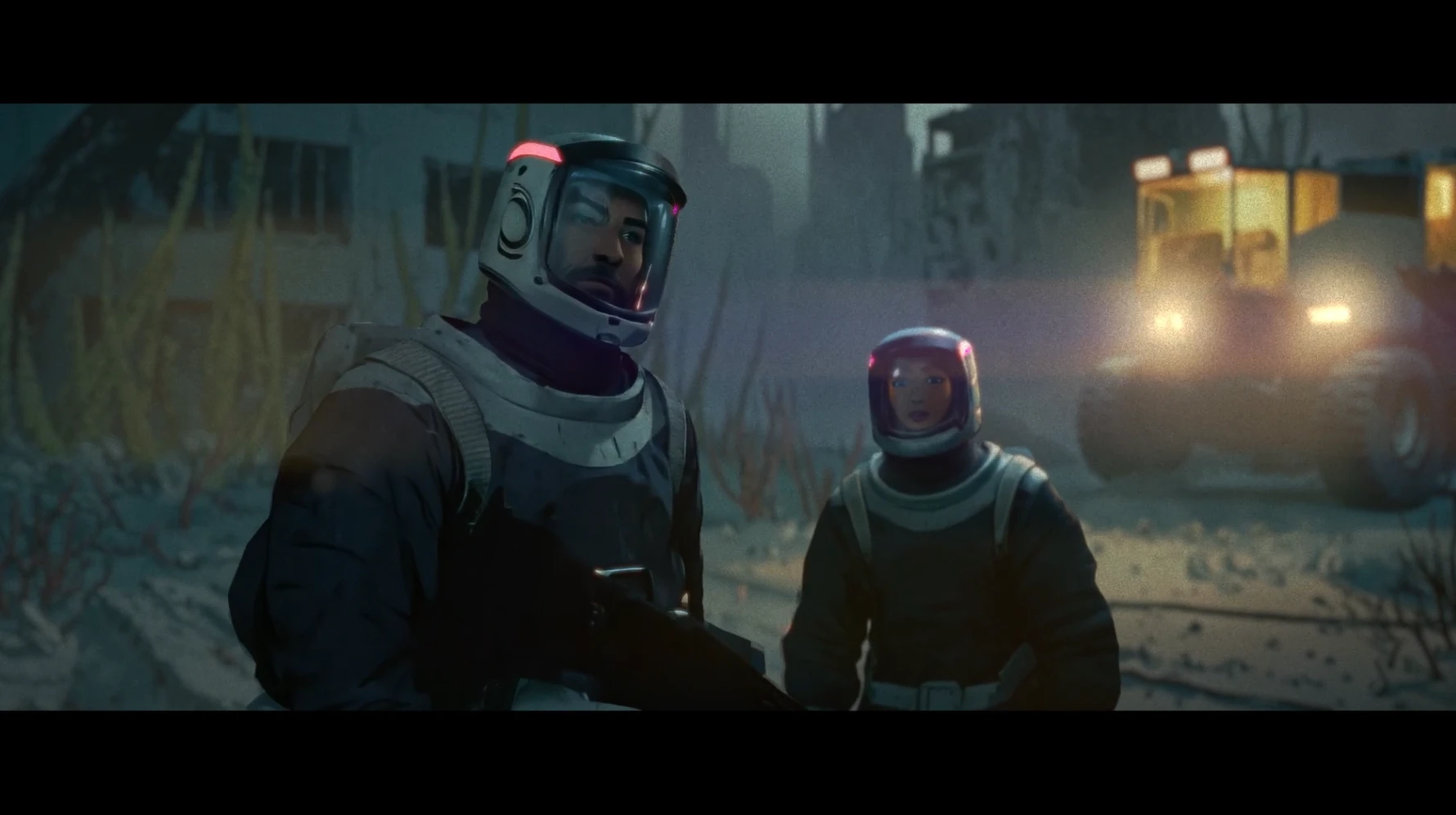
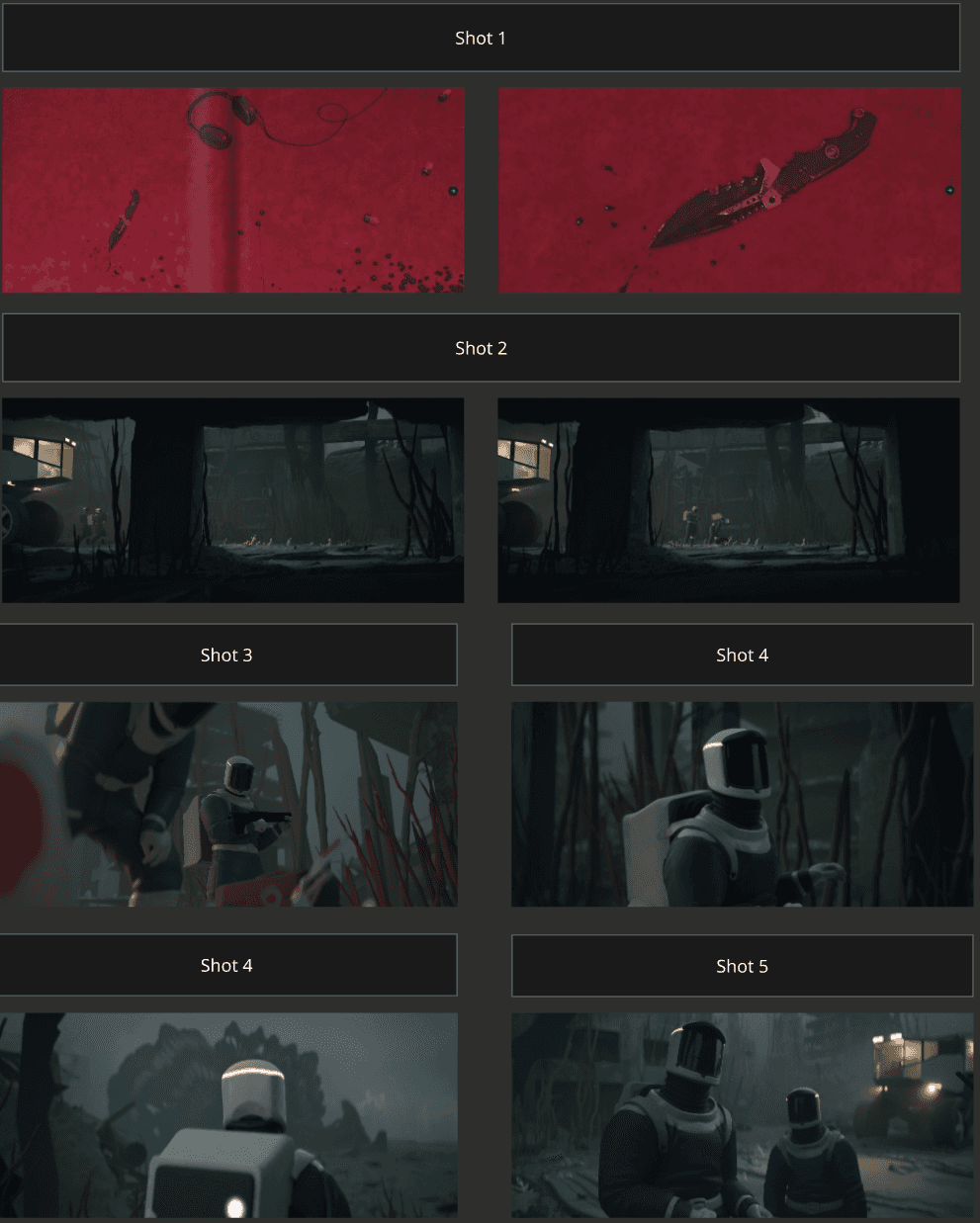
The scene
Inspired by a concept image from the story.
How we ran it
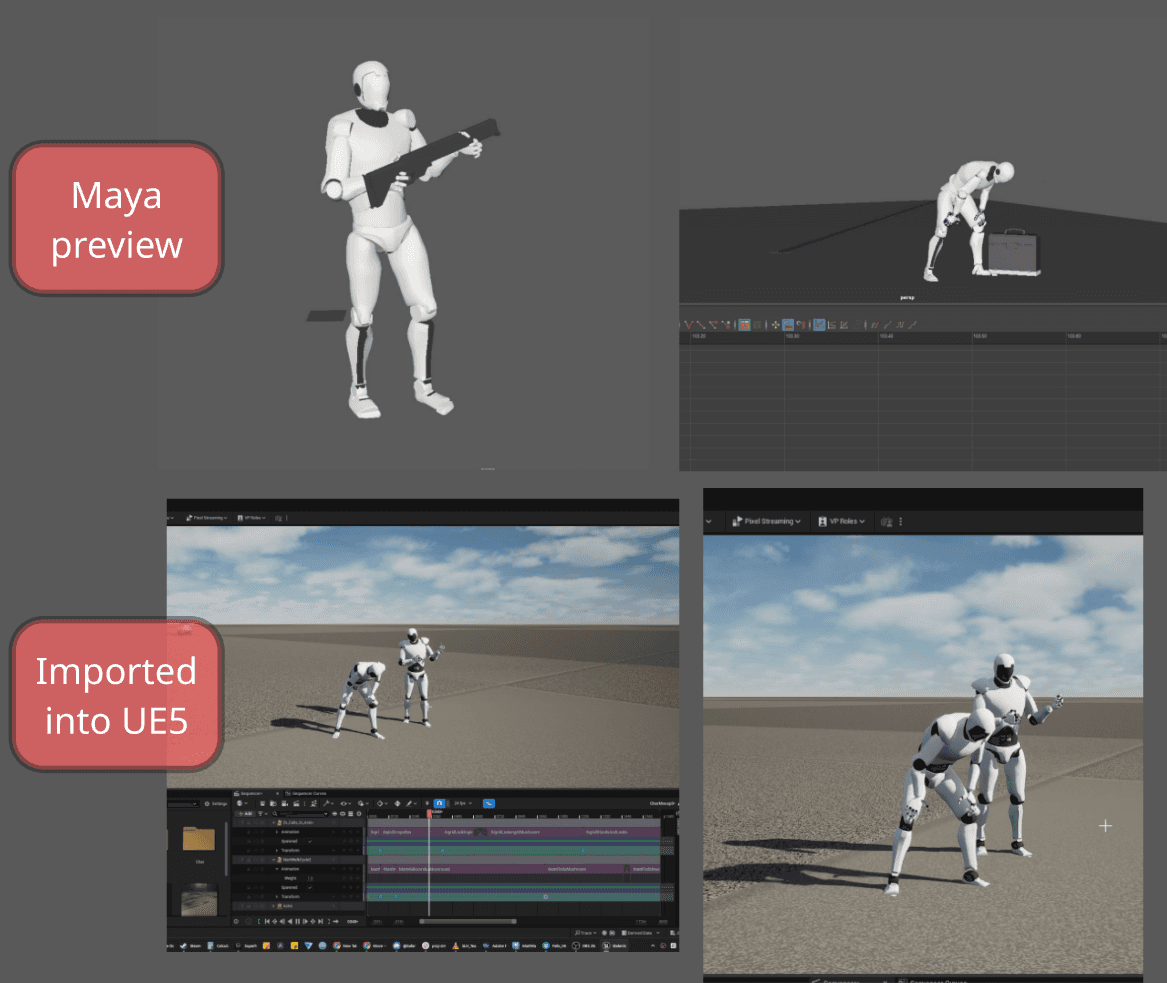
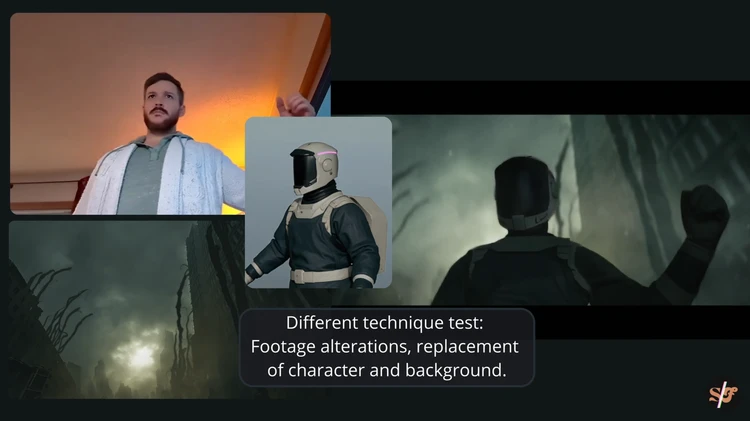
Unreal was the hub for block-outs, layout, lighting and previs. We explored how far we need to take the blockouts, to lead the design of the backgrounds. I shot the performances and ran them through Move.ai for mocap.
Where AI helped
Story ideation. Good for brainstorming, not writing. Does not know what a good idea is.
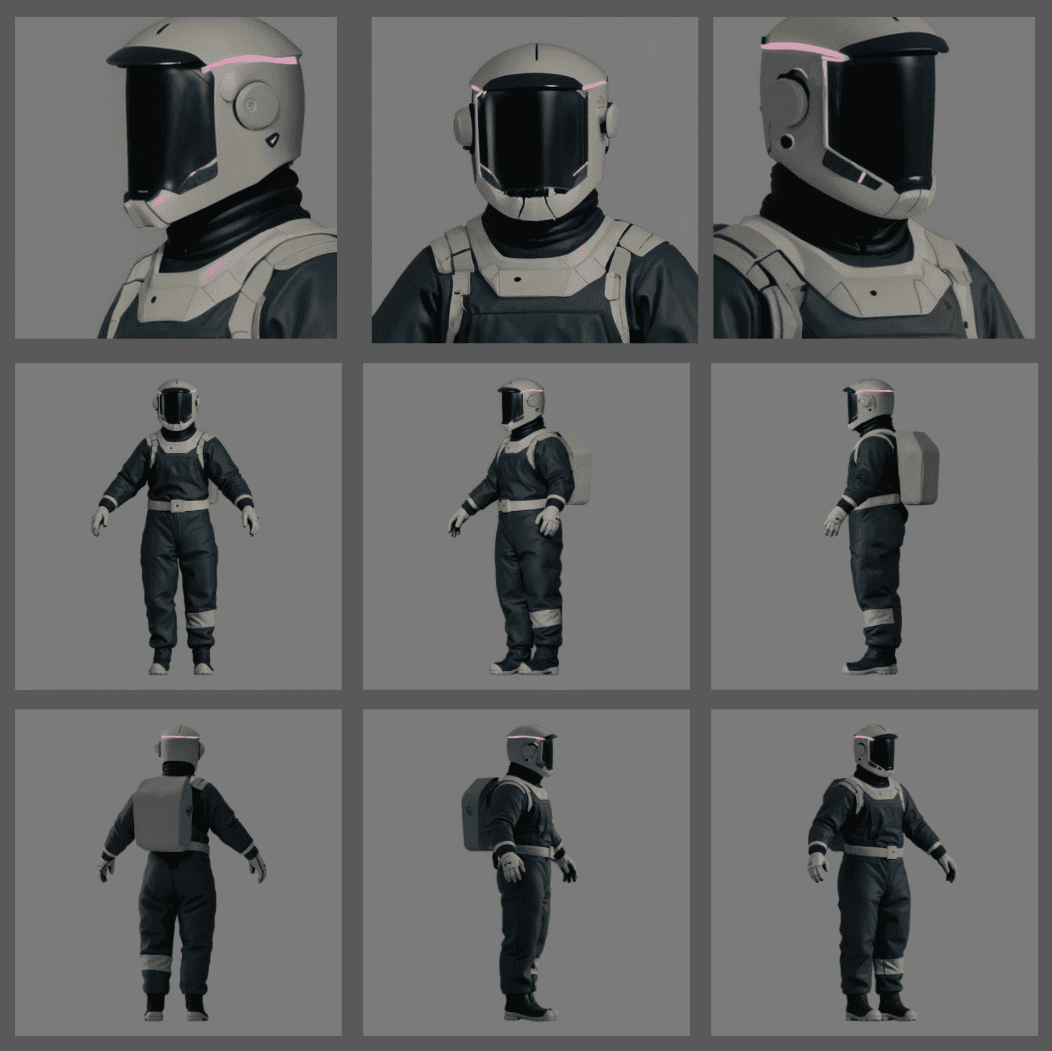
Previs models, texturing and rigging. Turnarounds from concept art to previs-ready rigs faster than a traditional pipeline.
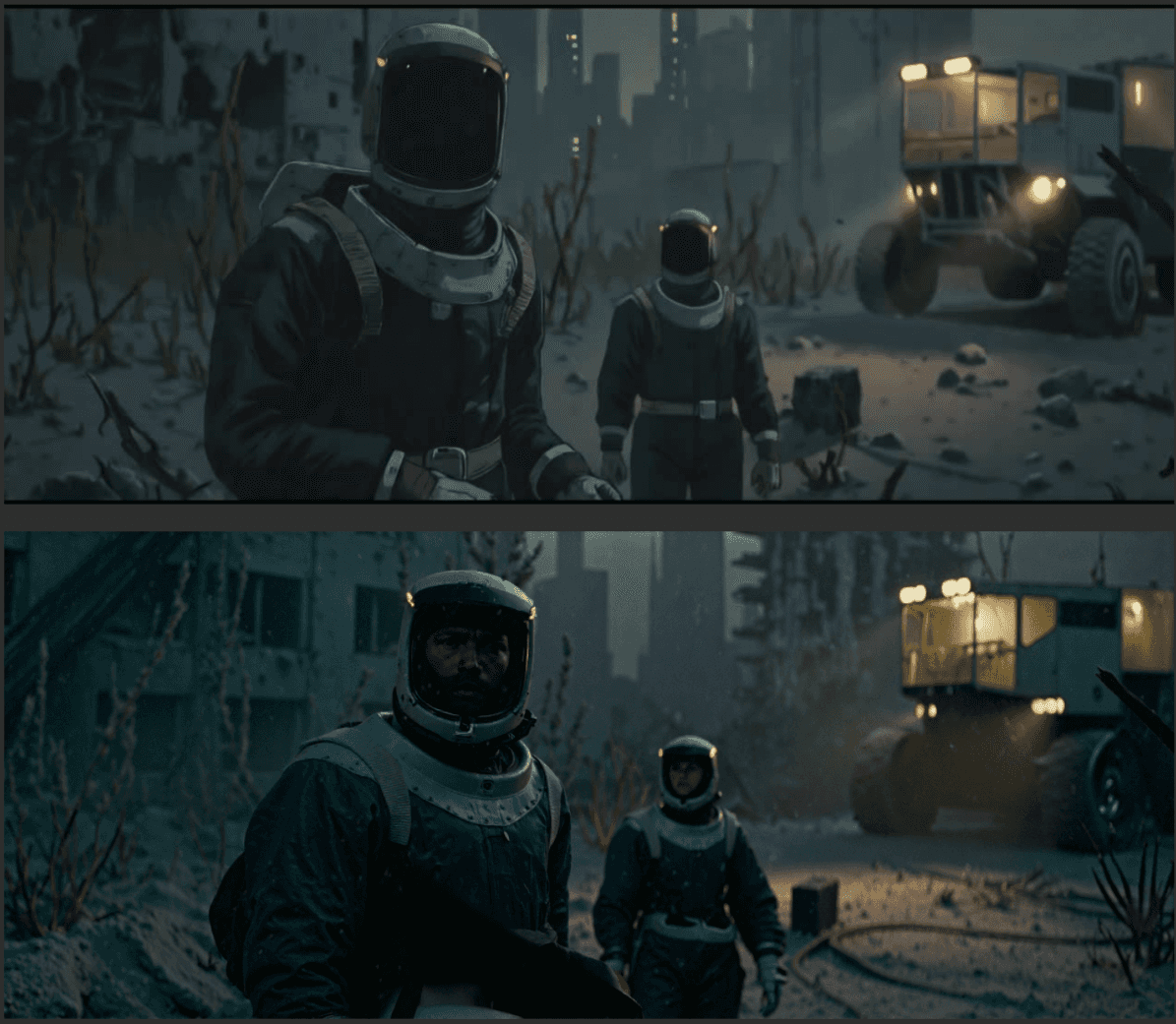
Look dev. ComfyUI restyles, over tightly designed backgrounds out of UE, made strong mood and pitch frames.
Where it broke
Concept art from a prompt comes out generic.
Restyles look incredible until they move. Faces morph and shots lose consistency. Faces were the hardest part: the AI kept pushing them into uncanny territory.
It ignores intent. It drifts off the composition and drops details that were there on purpose. Keeping the lighting and backgrounds simple helps, and there's a sweet spot where it holds together.
What we took away
AI speeds up parts of the art department and CG art workflow, but it won't worldbuild for you. Where we felt there was the most impact, was when we started with something pretty solid that came from Unreal Engine, with AI layered on top.
Wins came early. Concept exploration ran about 22–28% faster and palette locks 20–26%. Hunyuan meshes and phone-video mocap saved the most time.
Some of it was new capability, like reskinning previs into a final style and turning video into base animation.
The finish barely moved. Final rendering saved 2–5%. Cloth, lighting and final animation are still specialist work.
Control beats generation. AI held up when it worked from an Unreal blockout, not a prompt.
The AI we used, by type
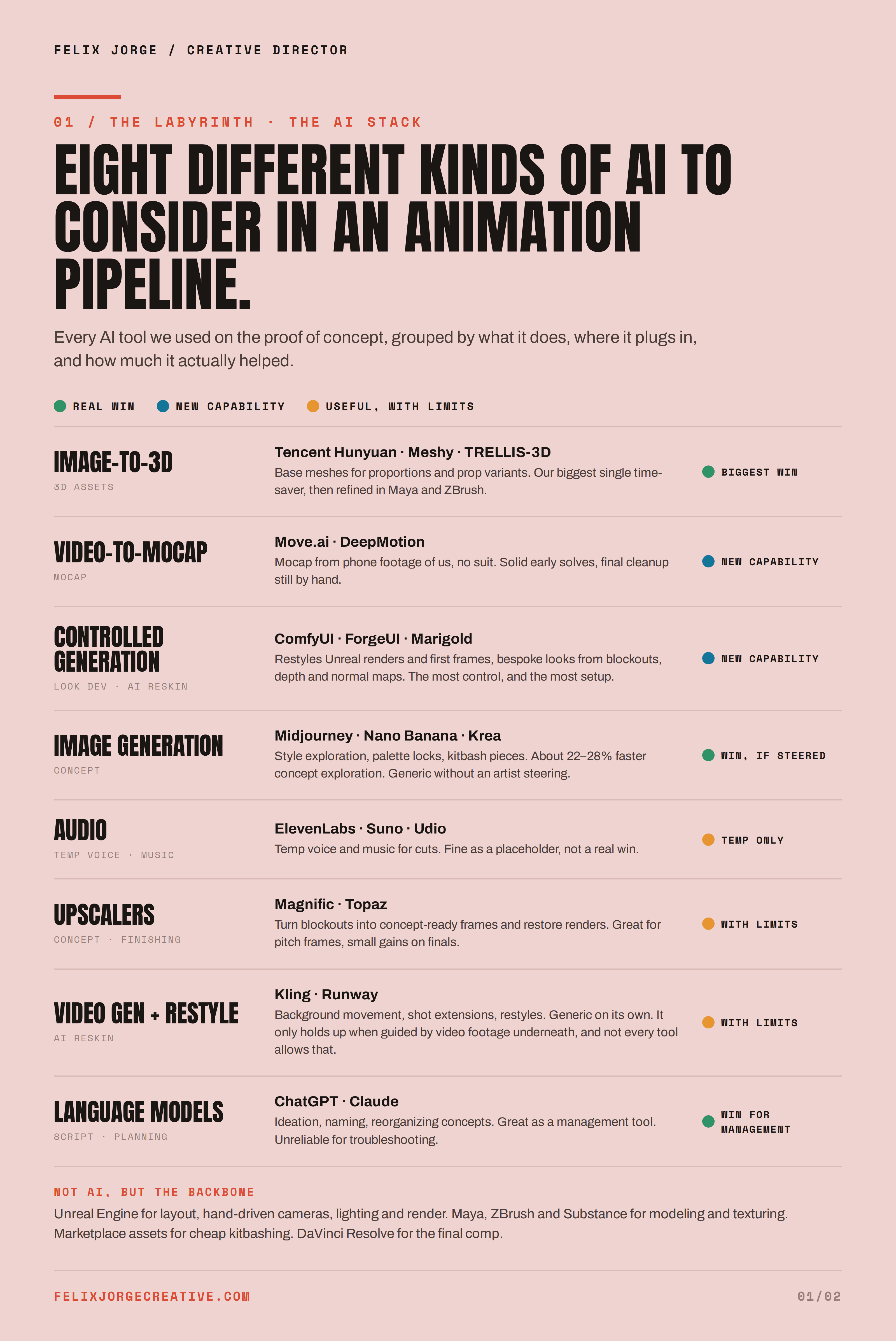
We found the most value using Unreal Engine as the spine of the design workflow, with AI serving as a subtle pass that goes on top.
Language models (ChatGPT, Claude). Ideation, naming, management, reorganizing concepts, moodboards. Great for brainstorming and learning, unreliable for troubleshooting, and summarized notes need checking.
Image generation (Midjourney, Nano Banana, Krea). Style exploration, palette locks, kitbash pieces. Generic concept art, strong with experienced artist steering.
Controlled generation (ComfyUI, ForgeUI, Marigold). Concept looks driven by Unreal blockouts, restyles, LoRAs for hero faces, depth and normal maps. The most control, and the most setup.
Upscalers (Magnific, Topaz). Turn blockouts into concept-ready frames and restore final renders. Needs strong starting point, great for pitch frames, small gains on finals.
Image-to-3D (Tencent Hunyuan, Meshy, TRELLIS-3D). Base meshes and prop variants. The biggest single time-saver, still refined in Blender and ZBrush.
Video-to-mocap (Move.ai, DeepMotion, and now native in UE). Mocap from phone video, no suit. Solid early solves, final cleanup still by hand.
Video generation and restyle (Kling, Runway). Extending shots, background motion, video-to-video restyles, roto. Looks incredible until faces and consistency break.
Audio (ElevenLabs, Suno, Udio). Temp voice and music for cuts. Not a fan of using this one, feel like they sound weird.
Category
Experiment / IP
Role
Creative Director / Producer · Co-Creator
Pipeline
Unreal Engine
Virtual Art Department
Move.ai Mocap
ComfyUI + AI 3D
Format
Unreal Engine cinematic
16:9
Client
Self-initiated · with Safari Sosebee
Date
2025